
fourthfeed for Mac · Free beta
Video and audio.
Right on your Mac.
Paste a link. Pick the items and format. Save videos, playlists, and MP3 files in a native Mac app.
Organize your links first →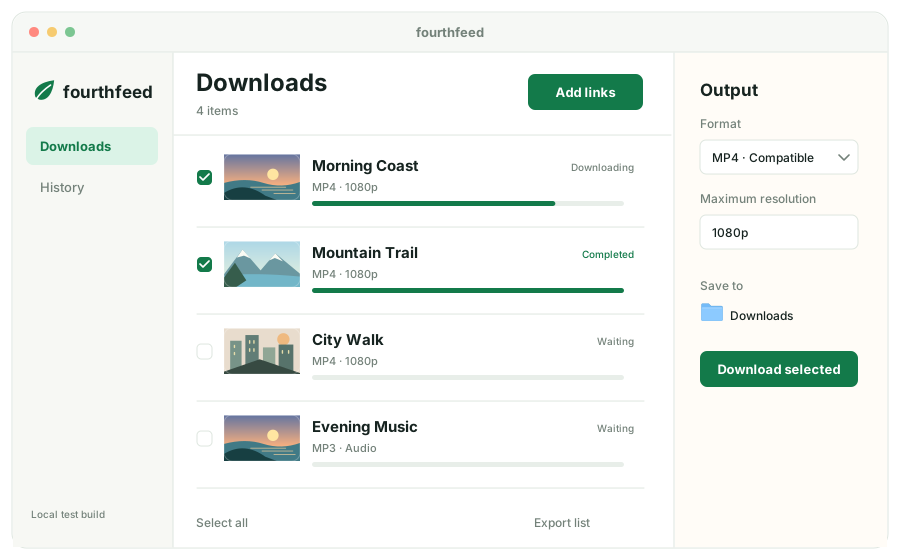
Three steps
- 1
Copy a link
A video or public playlist
- 2
Paste into fourthfeed
Look up items in the Mac app
- 3
Choose a format
Download MP4, source video, or MP3
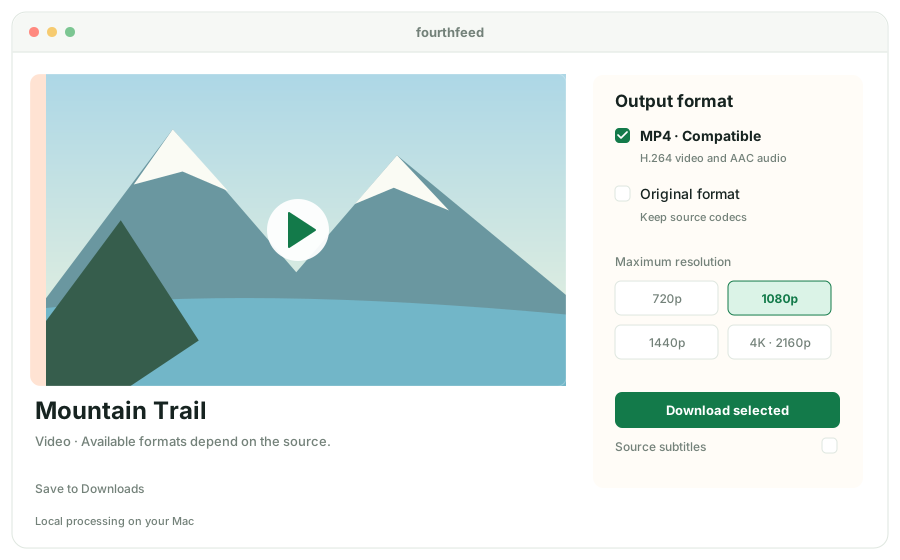
Video downloads
Two ways
to save video.
The compatible MP4 preset uses H.264/AAC. The source-codec preset keeps the source codecs and uses MKV when merging separate audio and video streams.
Download & installationWhat this beta covers
Available for Apple Silicon Macs running macOS 14 or later. Runtime testing has covered macOS 27.0 only; other versions and machines remain unverified.
Tested with public YouTube videos, playlist lookup, and local HTTP media. Sign-in, browser cookies, DRM content, and full Instagram or TikTok account backups are outside this release.
The beta is free, with no ads, accounts, or payment flow. Pricing and the free tier for a future release have not been decided.
Frequently asked questions
Is fourthfeed a web downloader?
It is a Mac app. The website can organize links; media lookup, downloads, and conversion run on your Mac.
Do I need Python, Homebrew, or Terminal?
No separate installation is needed to use the download package. It includes the download and media tools.
Can it save 4K video?
The app offers a resolution option up to 2160p. Available resolution depends on the source. Large 4K files have not yet been tested, and some sources do not offer 4K.
How much does it cost?
The current beta is free, with no subscription or purchase flow. Pricing and license scope for a future release have not been decided.
How does it compare with 4K Video Downloader?
This first release focuses on Mac queues, item selection, output presets, and local records. It is still a beta and does not claim to cover every 4K Plus feature. See the comparison.
Are my video links or files uploaded?
The app has no usage analytics and does not upload media links, titles, cookies, or files to our backend. Lookup and downloads contact the source site. The website organizer also keeps your input local. Privacy details.